Configure external service desk in SAP-
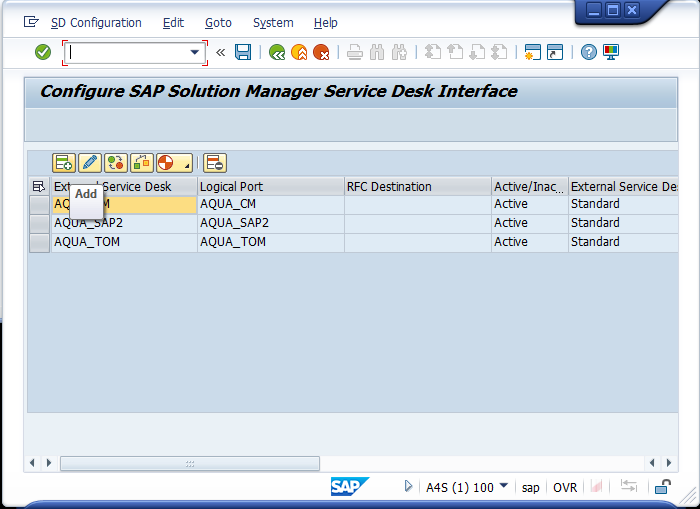
Open the transaction ICTCONF
-
-
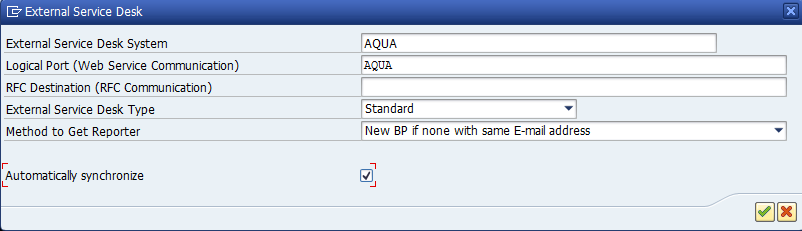
Enter the following information:
-
External Service Desk System: aqua
-
-
Method to Get Reporter: New BP if none with same E-mail address
-
Automatically synchronize: check the box
-
Click on 'Continue' (Note, that SAP Solution Manager now tries to connect to the web service exposed by aqua. When this fails, an error is shown at the bottom of the window and the external service is not created)
-
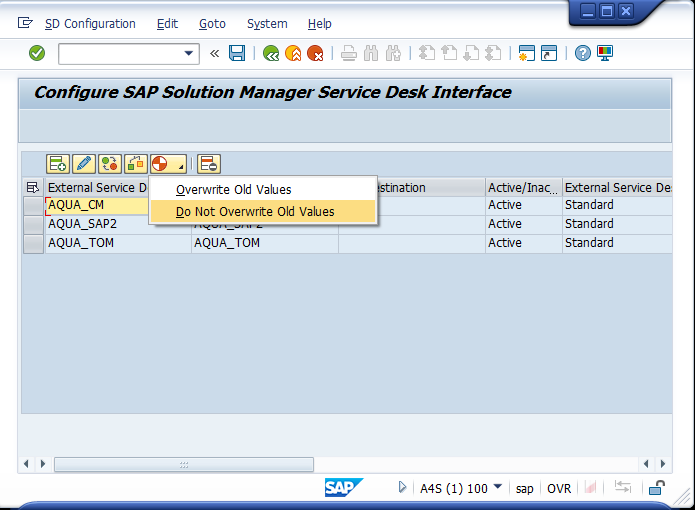
Select the row with your service desk
-
Click on 'Generate Default Mapping' (the red/white circle icon)
-
Choose 'Do Not Overwrite Old Values'
-
-
-
Select the row with your service desk
-
Click on 'Check'. The check should be successful.
|