Automatic push of all new incidents to aqua
By default, incidents must be explicitly forwarded to an external service desk by using the external help desk control in SAP Solution Manager. Via customizing in SAP Solution Manager, it is possible to schedule an automatic forwarding of all new incidents to aqua.
Important Note: The following approach only works when a single external service desk is configured.
Please proceed as follows:
-
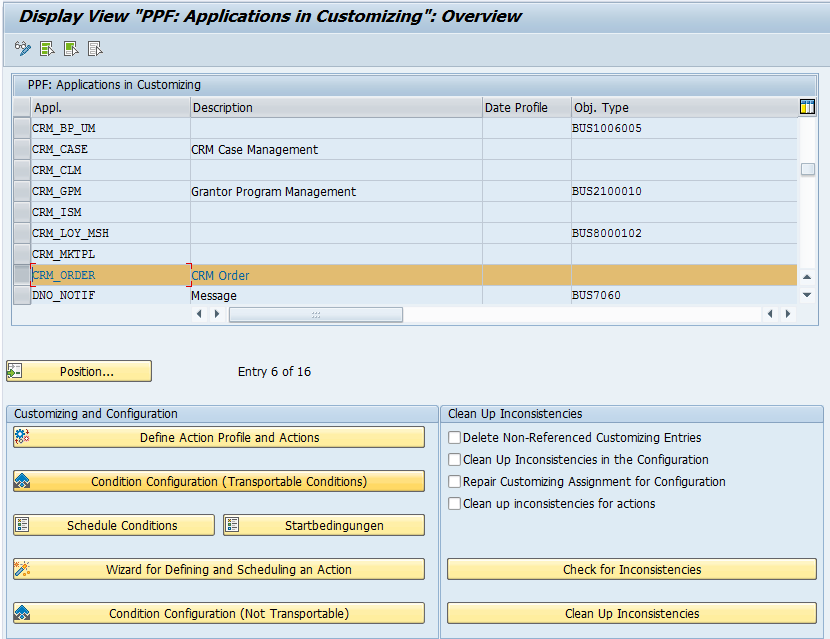
Open transaction SPPFCADM
-
Highlight CRM_ORDER
-
Click on 'Condition Configuration' (Transportable Conditions)
-
Click on 'Display/Change'
-
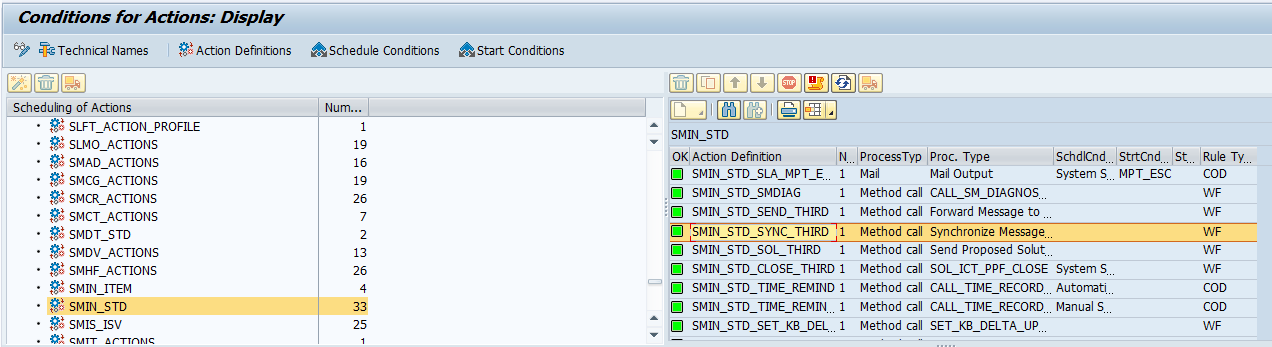
Click on 'Technical Names'
-
Double-click on 'SMIN_STD' (or your renamed incident plugin)
-
Double-click on 'SMIN_STD_SYNC_THIRD'
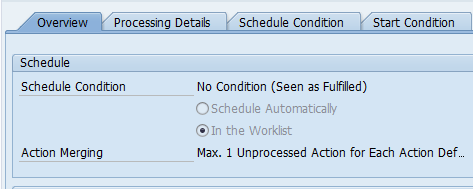
8. On overview tab, select 'Schedule Automatically'
 9. Switch to 'Schedule Condition' tab10. Click on 'Edit Condition'
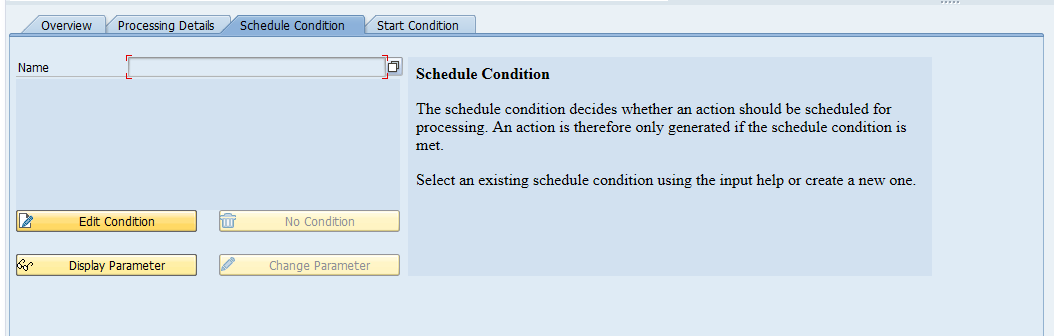
11. Enter the name: PushToaqua12. Click in the space below Condition Definition13. Enter the following condition:
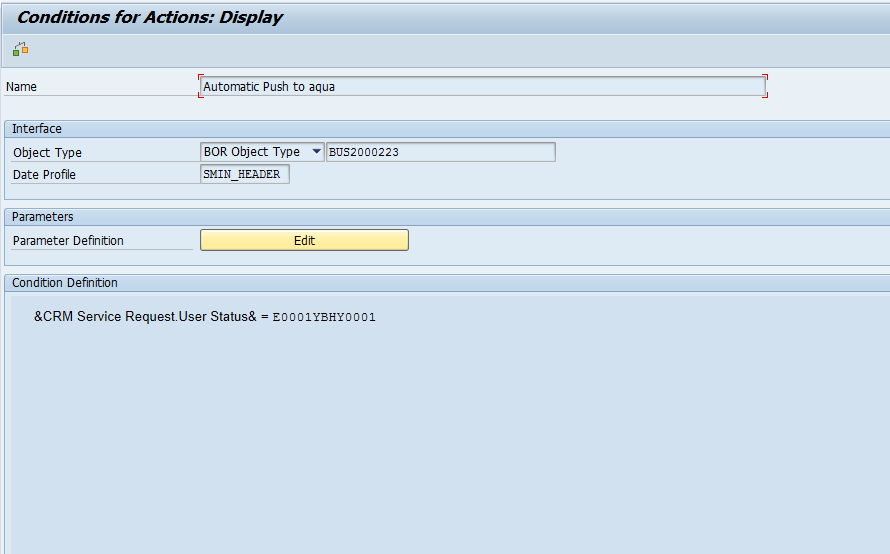
14. Confirm your changes15. Click on 'Check'16. Click on 'Save'17. Click on 'Save'
You must reopen SM_CRM afterwards. Otherwise, your changes are not visible.